At time of print on your PC (File > Print), first just check that the printer selected is Secure-Print-Client, in case default printer option changed on PC.
Next perform full restart of PC, this will restart the printing services on PC in case of some current error with print services on PC.
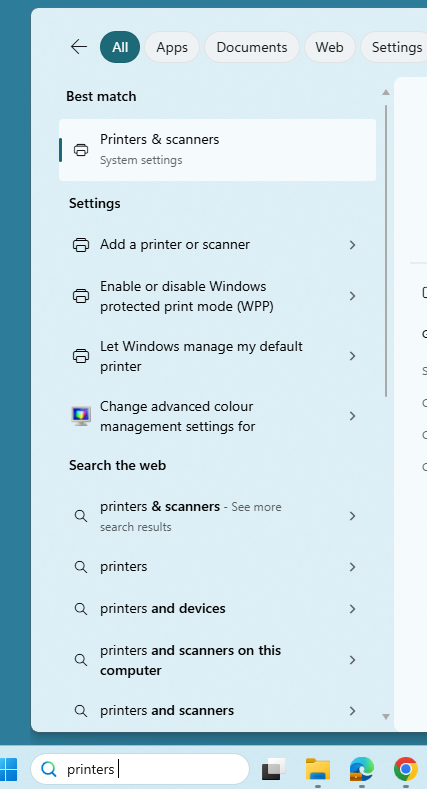
If still same, next check in case any stuck pending print job, on PC if you search for printers and go into printers & scanners
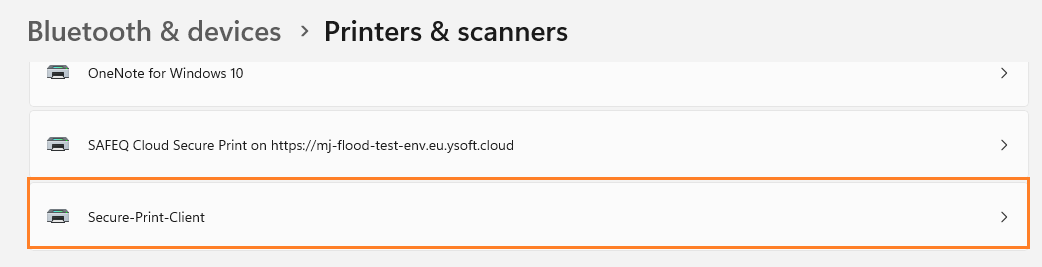
Find printer Secure-Print-Client
Select Open print queue
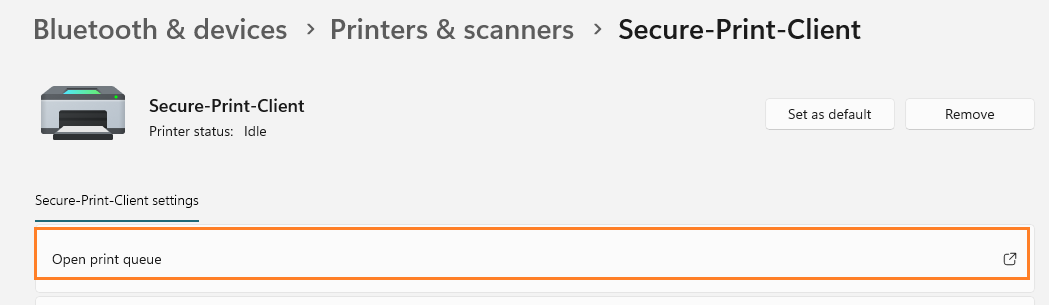
This queue should be empty, in case any print jobs listed, select 3 dots above print job > cancel all
Was this article helpful?
That’s Great!
Thank you for your feedback
Sorry! We couldn't be helpful
Thank you for your feedback
Feedback sent
We appreciate your effort and will try to fix the article