SafeQ TU Dublin – YSoft SafeQ Client v3.0 macOS ARM Client installation failed
Issue: Error message “The installation failed” when running YSoft SafeQ Client v3.0.pkg
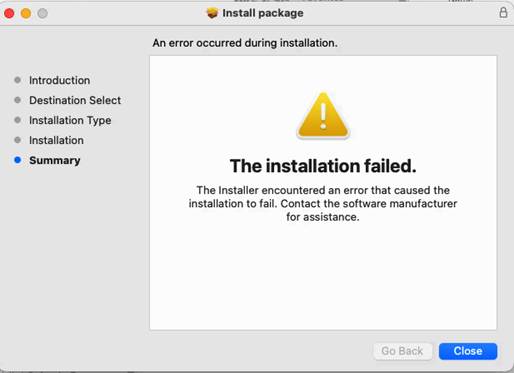
Common reason for getting “The installation failed” message when running YSoft SafeQ Client v3.0.pkg is Rosetta 2 is not enabled on macOS (Apple Silicon). Rosetta 2 does not come pre-installed and not installed automatically during macOS setup by default. Rosetta 2 is required to run the SafeQ TU Dublin macOS ARM package which includes installation of the KONICA MINOLTA PPD.
Solution: Install/enable Rosetta 2
Open Terminal (Press ⌘ + Space, type Terminal) and run below bash command:
/usr/sbin/softwareupdate --install-rosetta --agree-to-license
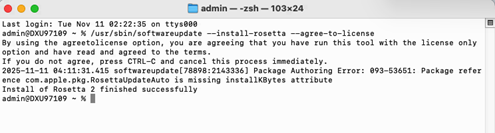
After installing Rosetta 2 run again the YSoft SafeQ Client v3.0.pkg
Was this article helpful?
That’s Great!
Thank you for your feedback
Sorry! We couldn't be helpful
Thank you for your feedback
Feedback sent
We appreciate your effort and will try to fix the article